Resume Search Fields In The WP Job Portal!
The Resume Search Fields feature in WP Job Portal allows administrators to control which search filters are available to employers when searching for resumes. These fields help users narrow down resume listings based on specific criteria, making it easier to find relevant resumes quickly and efficiently. Administrators can choose which search fields are displayed on the resume search form. If a particular field is not useful for the portal’s audience, it can be hidden.
Resume Search Fields
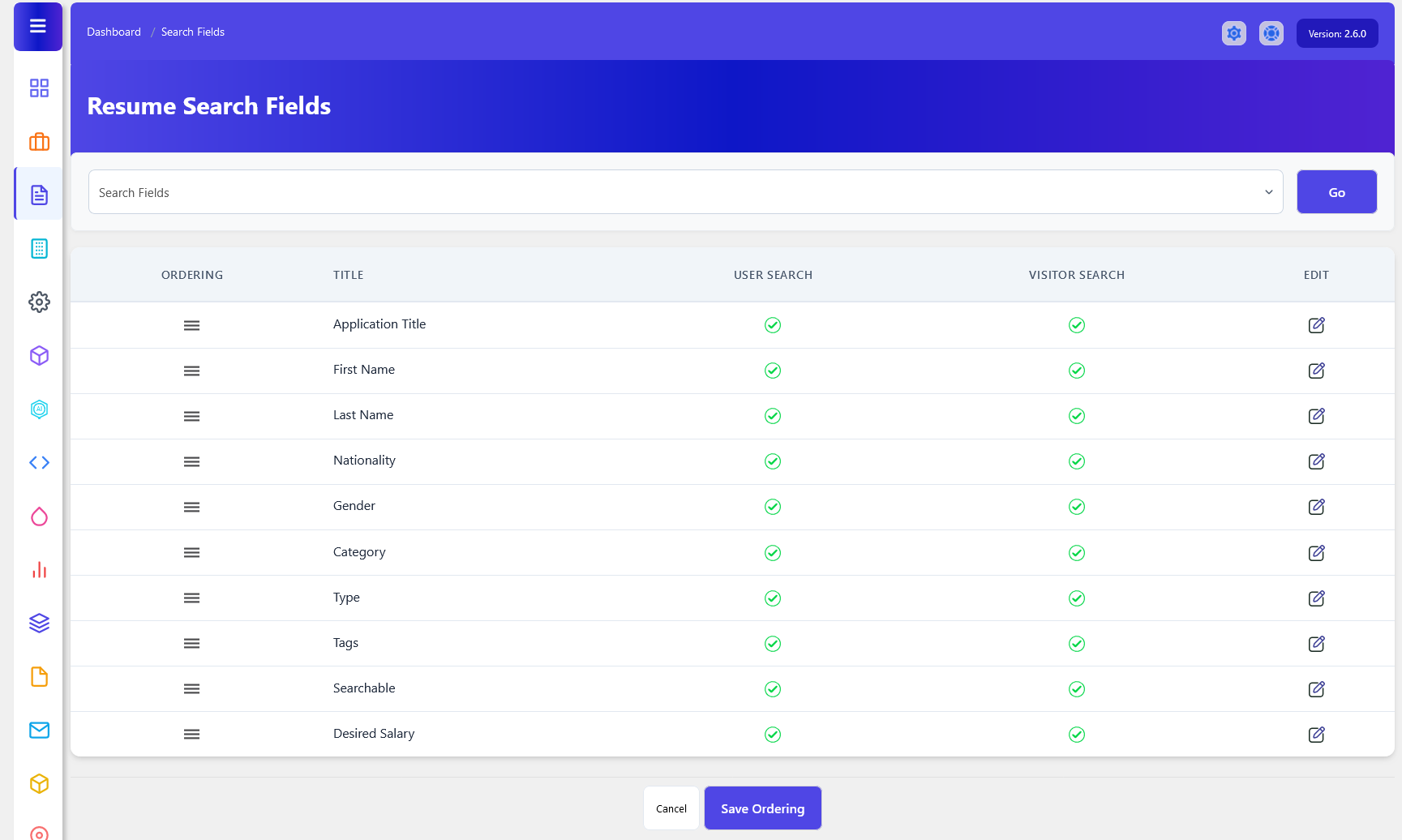
As an administrator, open up your Admin Dashboard > Dashboard Menu > Resumes > Search Fields. The Resume Search Fields section in WP Job Portal allows administrators to configure which fields are available when users search for resumes. These fields act as filters that help employers quickly find relevant resume listings based on specific criteria. By customizing search fields, administrators can create a more efficient and user-friendly resume search experience. Here you can manage the visibility of fields in the resume search form for users and visitors.
Edit Field
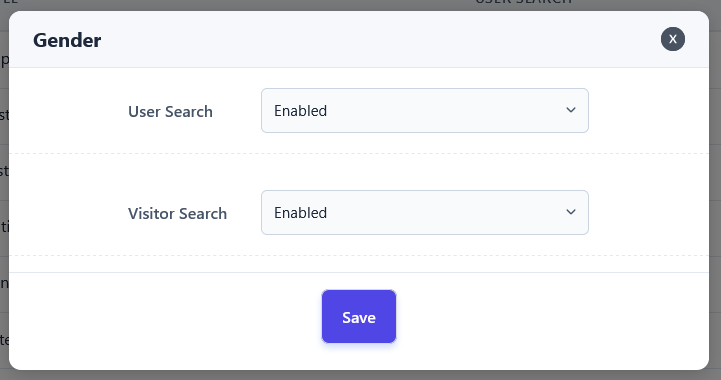
- The User Search setting determines whether a search field is available to registered users within their resume management areas. If enabled, users can utilize that field when searching for a resume.
- The Visitor Search setting controls whether a field is available to visitors on the front-end resume search page. When enabled, visitors can use that field as a search filter.
Fields Ordering
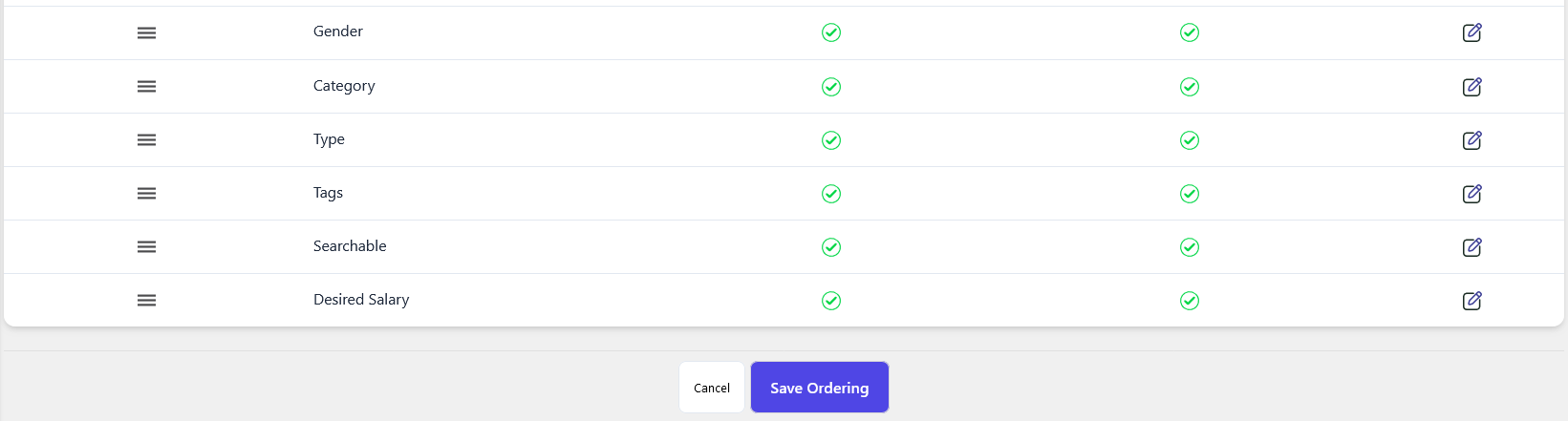
You can also adjust the order of your search fields on the resume search form, deciding where you want to show these fields. Once you change the field order and save it, the fields on the resume search form will align with your preferences.