Job Detail In The WP Job Portal!
The Job Detail page in WP Job Portal provides complete information about a job vacancy, helping job seekers understand the role before applying. It serves as the main information page where all employer-entered job-related details are displayed in an organized, professional format. This allows candidates to review the opportunity thoroughly and decide whether it matches their skills, experience, and career goals.
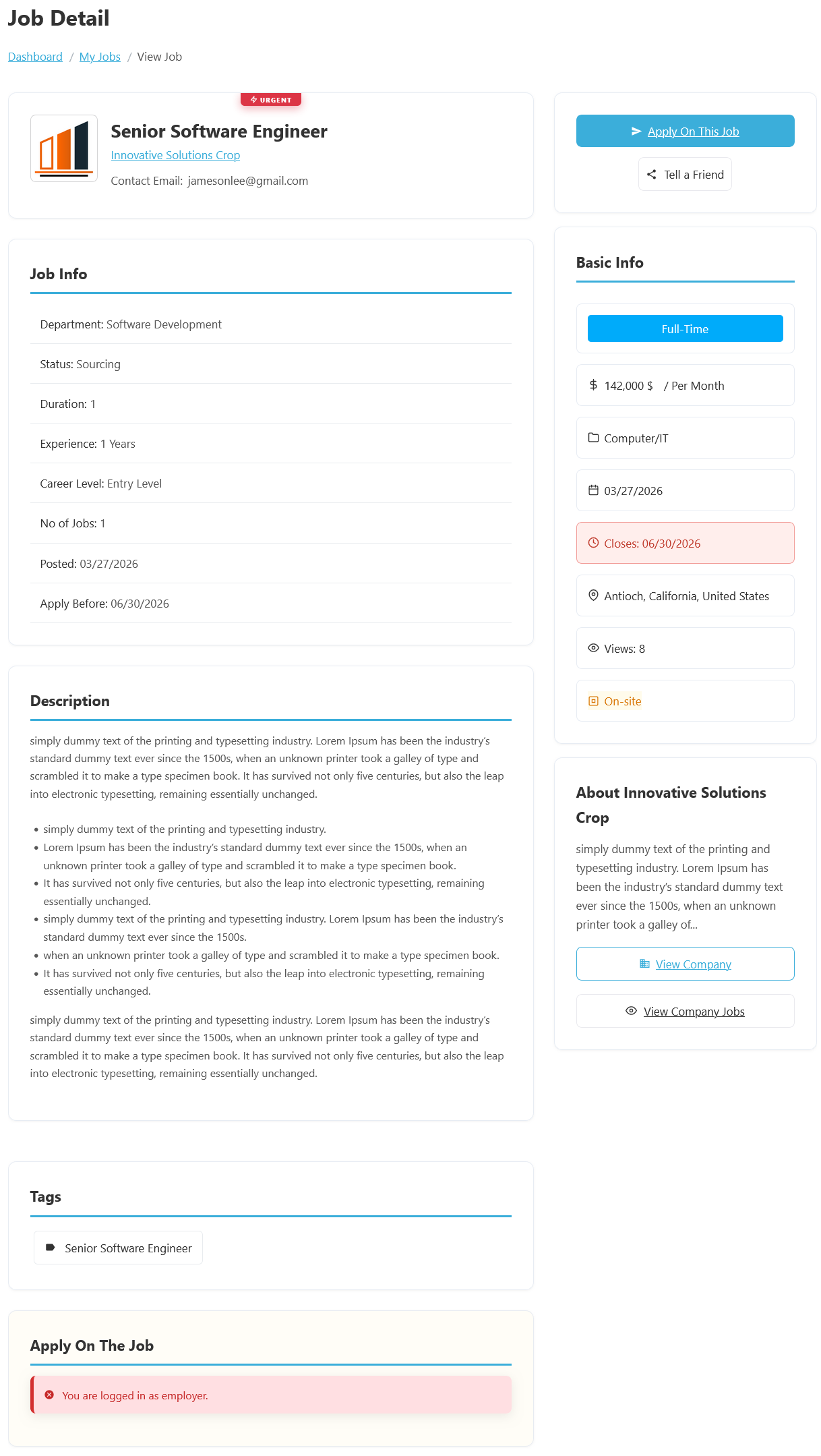
To access the Job Detail page from your employer dashboard, navigate to Employer Dashboard > Dashboard Menu > My Jobs, then click the job title. The Job Detail page in WP Job Portal is where job seekers can view complete information about a job vacancy before applying. It provides a detailed overview of the position, company, requirements, and application information, helping candidates determine whether the opportunity matches their qualifications and career goals. This page serves as the primary source of information for every published job on the portal.
At the top of the page, users can see the Job Title, Company Name, and any special labels such as Urgent. In this example, the job is Senior Software Engineer and is marked as Urgent, indicating that the employer wants to fill the position as quickly as possible. The company name and contact information are also displayed, making it easy for applicants to identify the organization offering the opportunity.
The Job Info section contains detailed information about the position, including Department, Status, Duration, Experience Requirements, Career Level, Number of Jobs, Posted Date, and Application Deadline. For example, the job belongs to the Software Development Department, requires 1 year of experience, is categorized as an Entry Level position, and has an application deadline of June 30, 2026. These details help candidates determine whether they meet the requirements before applying.
The Basic Info panel provides a quick summary of important job attributes such as Job Type, Salary, Category, Location, Workplace Type, and the number of Views. In this example, the position is Full-Time, offers a salary of $142,000 per month, belongs to the Computer/IT category, and is located in Antioch, California, United States. The workplace type is listed as On-site, meaning employees are expected to work from the company’s physical location rather than remotely.
Further down the page, the Description section explains the responsibilities, qualifications, and expectations associated with the role. The Tags section highlights important keywords related to the job, making it easier for users to discover similar opportunities. The page also includes an Apply On The Job area where eligible users can submit applications directly through the portal. Alongside this, the Company Information section provides a brief overview of the employer and offers quick links to view the company profile and other jobs posted by the same organization. Together, these features make the Job Detail page the central hub for reviewing and applying for job opportunities in WP Job Portal.
Tell A Friend
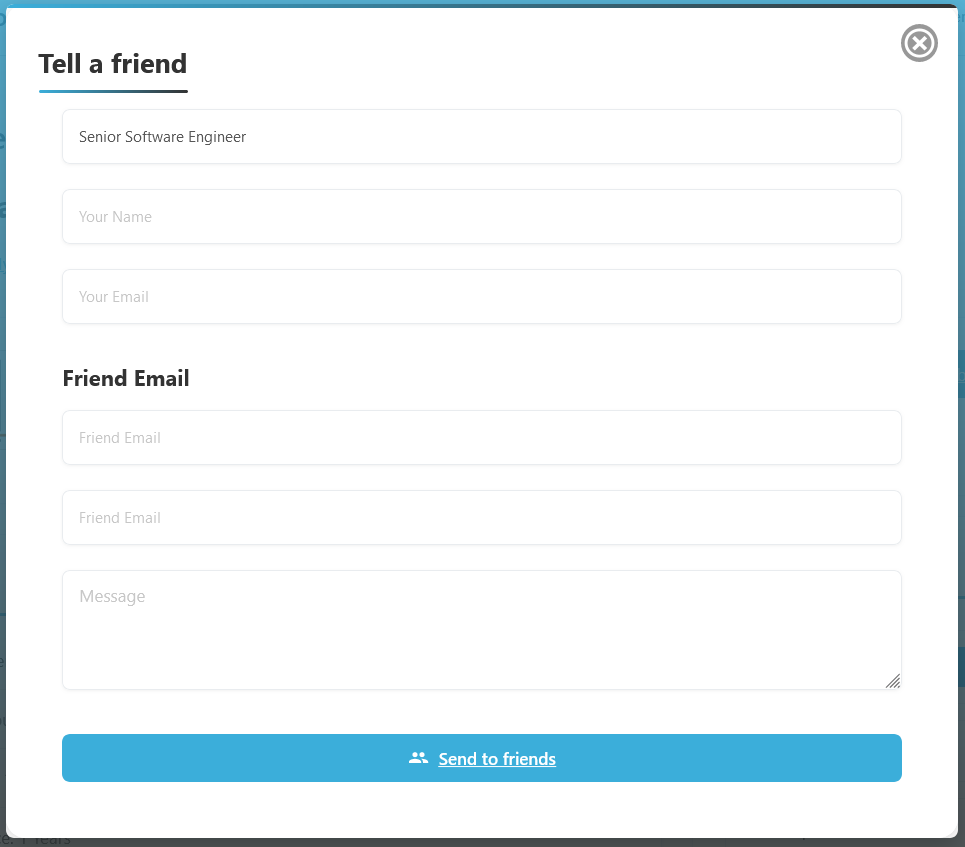
The Tell a Friend feature in WP Job Portal allows users to easily share a job opportunity with someone they know who may be interested in the position. This feature helps employers reach a wider audience and increases the chances of finding qualified candidates through referrals and personal recommendations.
When a user clicks the Tell a Friend button on the Job Detail page, they can share the job with friends, colleagues, classmates, or professional contacts. Typically, the system provides a form where the user can enter the recipient’s name and email address along with an optional personal message. The recipient then receives a notification containing information about the job and a link to view the full job details.
For example, if a user comes across a Senior Software Engineer position but knows a friend who has the required skills and experience, they can use the Tell a Friend feature to send the job directly to that person. Instead of searching for the job manually, the recipient can simply open the shared link and review the opportunity immediately.