Company Approval Queue In The WP Job Portal!
The Company Approval Queue in the WP Job Portal is a moderation feature that allows administrators to review company postings before they are published on the website. When company auto-approval is not enabled, newly submitted companies are placed in a waiting queue and remain unpublished until an administrator approves them. This helps maintain the quality, accuracy, and professionalism of company listings on the portal.
Configure Company Auto-Approval

Start by navigating to the Admin Dashboard > Dashboard Menu > Configurations > Companies > Company Auto Approve. If the company auto-approval is set to “YES/Enable,” companies will not require administrator approval for publishing. However, if you set the company auto-approve to “NO/Disable,” then companies will require admin approval before being published.
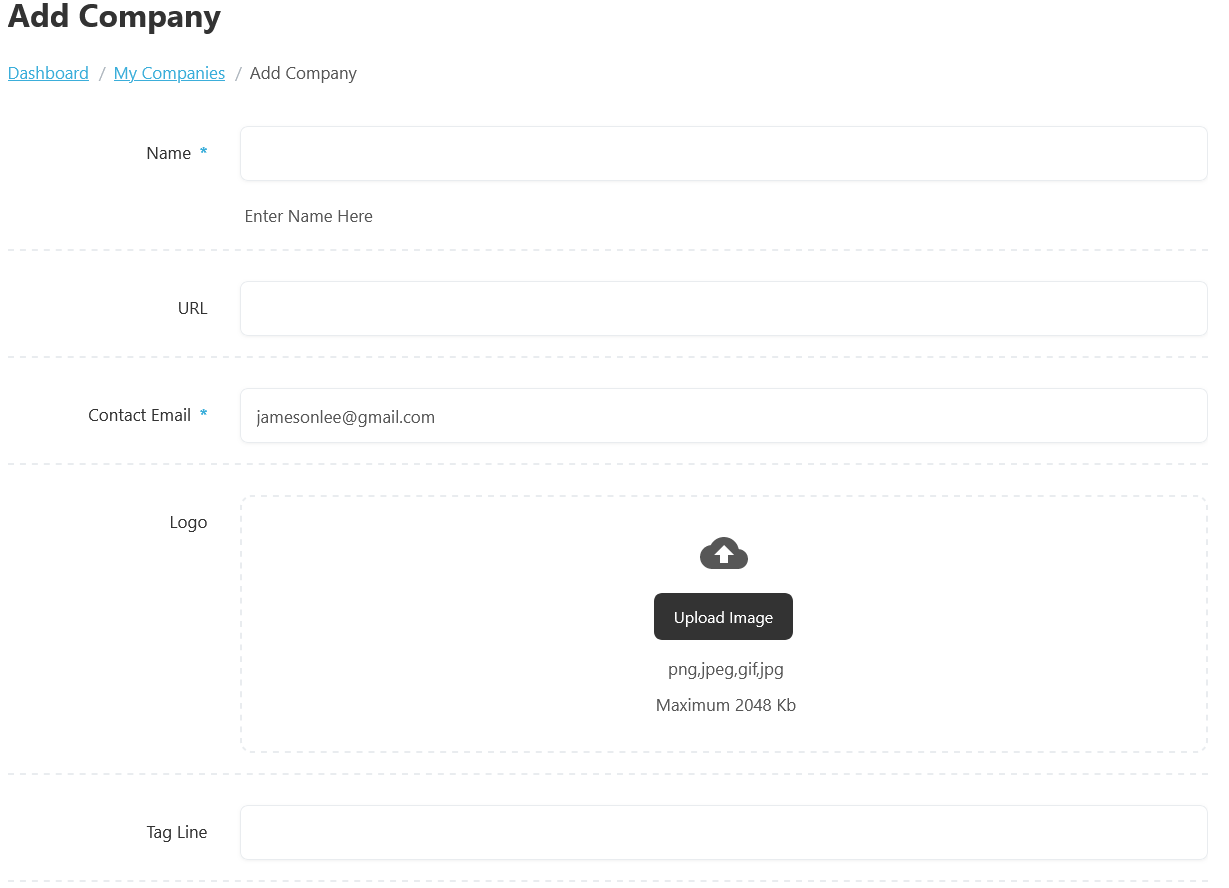
First, let’s start with the company creation process on the Add Company form. We will create the company by adding the necessary details. Once you have completed filling in the details, click the Save Company button. The company has been successfully saved.
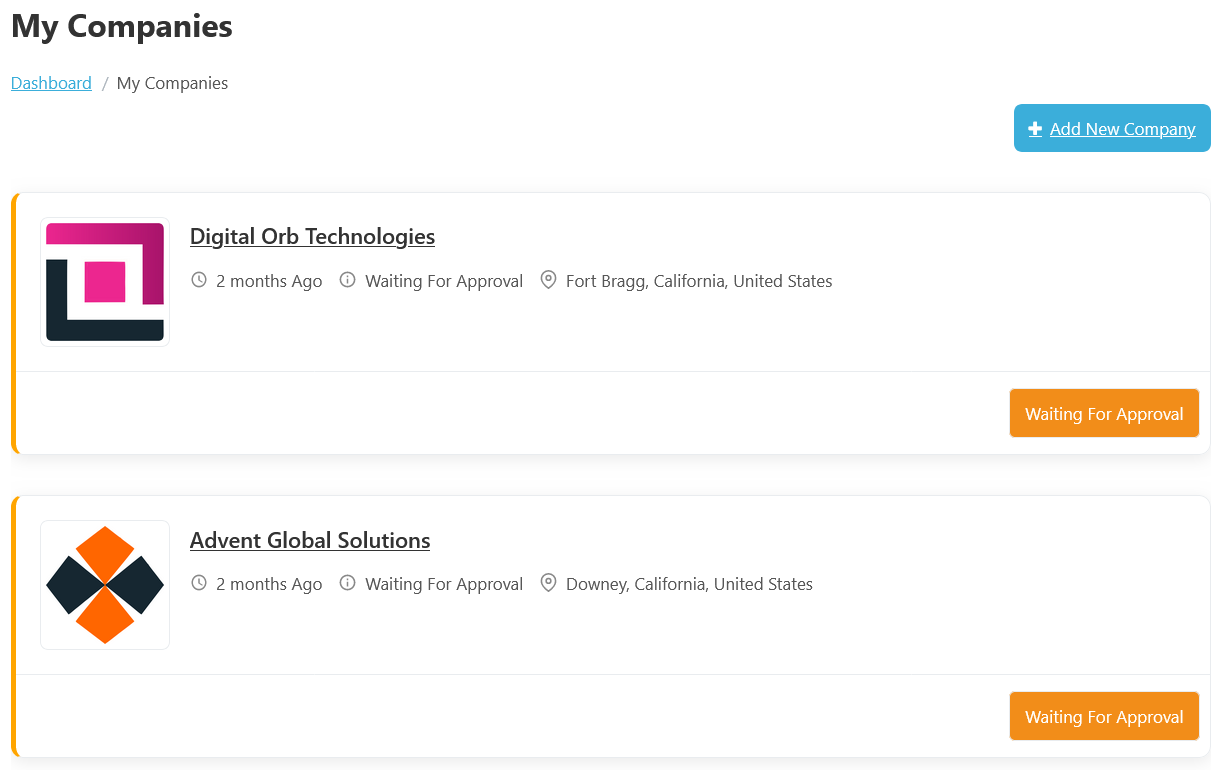
The Company Waiting for Approval status in WP Job Portal appears when an employer creates a new company profile that requires administrator approval before becoming publicly visible on the website. This approval system helps maintain quality, security, and authenticity by allowing administrators to review company information before publishing it for job seekers.
While the company is waiting for approval, employers can usually view the company inside their My Companies section, along with a pending or waiting status message. This helps employers know that the company was successfully submitted and is currently under review.
Companies Approval Queue
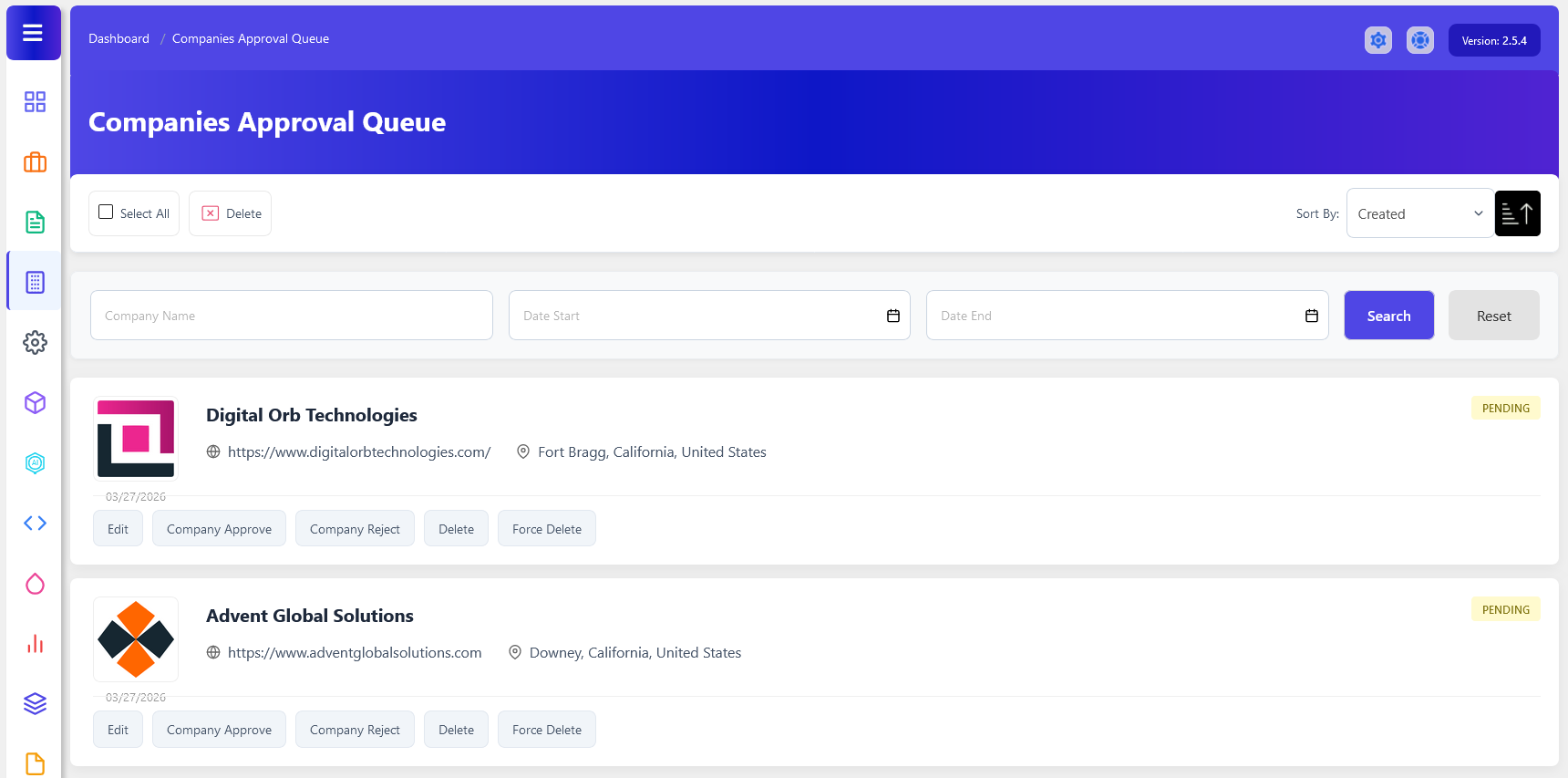
To access the company approval queue, start by navigating to the Admin Dashboard > Dashboard Menu > Companies > Approval Queue. The Companies Approval Queue in WP Job Portal is an administrative review area where newly submitted companies are placed before they are published on the website. This feature allows administrators to verify company listings and ensure that all posted companies meet the portal’s standards and requirements. Companies in this queue remain hidden from job seekers until they are approved by an administrator.
When an employer creates and submits a new company, the company does not immediately become visible to job seekers. Instead, it is added to the Companies Approval Queue, where administrators can review the Company Title, URL, location, and other fields.
Administrators can manage pending companies using several action buttons available under each company listing. The Company Approve button is used to approve and publish the company profile, making it visible to job seekers and allowing the employer to fully use company-related features. The Company Reject option allows administrators to reject company submissions that contain invalid, incomplete, or inappropriate information.
Management Actions
- Administrators can also use the Edit button to modify company information.
- The Company Approve button publishes the company and makes it visible to job seekers.
- The Company Reject option declines the submission, preventing it from being published.
- Delete removes the company from the queue.
- Force Delete permanently removes the company and its associated data from the system.
Featured Company Approval Queue In WP Job Portal
The Featured Company Waiting for Approval status in WP Job Portal indicates that a company has been submitted as a Featured Company, but it has not yet been approved by the administrator. While the company is marked as featured by the employer, it will not receive featured placement or become visible to job seekers until the approval process is completed. They are often highlighted with special styling or shown with a featured label in company listings.
Configure Featured Company Auto Approve

To configure the featured company approval settings, start by navigating to the Admin Dashboard > Dashboard Menu > Configurations > Companies > Featured Company Auto Approve.
In this section, if the featured company’s auto-approve option is set to “YES/Enable,” the featured company will not require administrator approval for publishing. However, in this case, we are setting the featured company auto-approve option to “NO/Disable,” meaning that featured companies will require admin approval before they can be published.
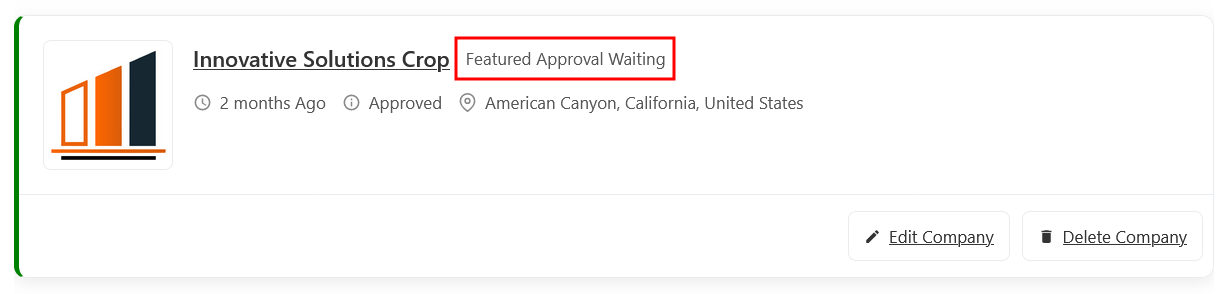
The page displays a list of companies, where employers add companies to the featured section by clicking the featured button. Although the status of this job is “Approved/Published,” its featured status is marked as “Featured Approval Waiting.” This indicates that the company is not yet marked as featured because it is pending administrator approval. Administrator approval is necessary for the company to be officially marked as featured.
Featured Company Approval Queue

To access the featured company approval process, navigate to Admin Dashboard > Dashboard Menu > Companies > Approval Queue.
The Featured Company Approval Queue in WP Job Portal is a management section where administrators review and approve company listings that have been submitted as Featured Companies. This approval process ensures that only legitimate and high-quality featured listings receive premium placement on the website. Until approval is granted, featured companies remain in a pending state and are not displayed as featured to job seekers.
When a featured company is submitted and the portal requires administrative approval, the company enters the Company Approval Queue with a Pending status. The administrator can then review the company details and the featured request before deciding whether to Approve or Reject it.
Management Actions
- The Featured Approve option in WP Job Portal allows administrators to approve a company request for featured status. When a featured request is approved, featured companies are often highlighted with special badges shown higher in company listings, helping them attract more attention from job seekers.
- The Featured Reject option is used when an administrator decides not to grant featured status to a company listing. This action denies the featured request while allowing the company to remain a regular company listing if it has already been approved for publication.
- Administrators can also use the Edit button to modify company information.
- Delete removes the company from the queue.
- Force Delete permanently removes the company and its associated data from the system.