Companies In The WP Job Portal!
The Companies section in WP Job Portal allows administrators to manage all registered companies from a single dashboard. This page provides complete control over company profiles, approvals, featured companies, and company-related actions. Administrators can monitor every company added by employers and ensure that only verified and professional organizations are visible on the job portal. The My Companies feature also helps build trust and professionalism for job seekers. Candidates can view detailed company information before applying for a job, helping them better understand the organization.
Companies
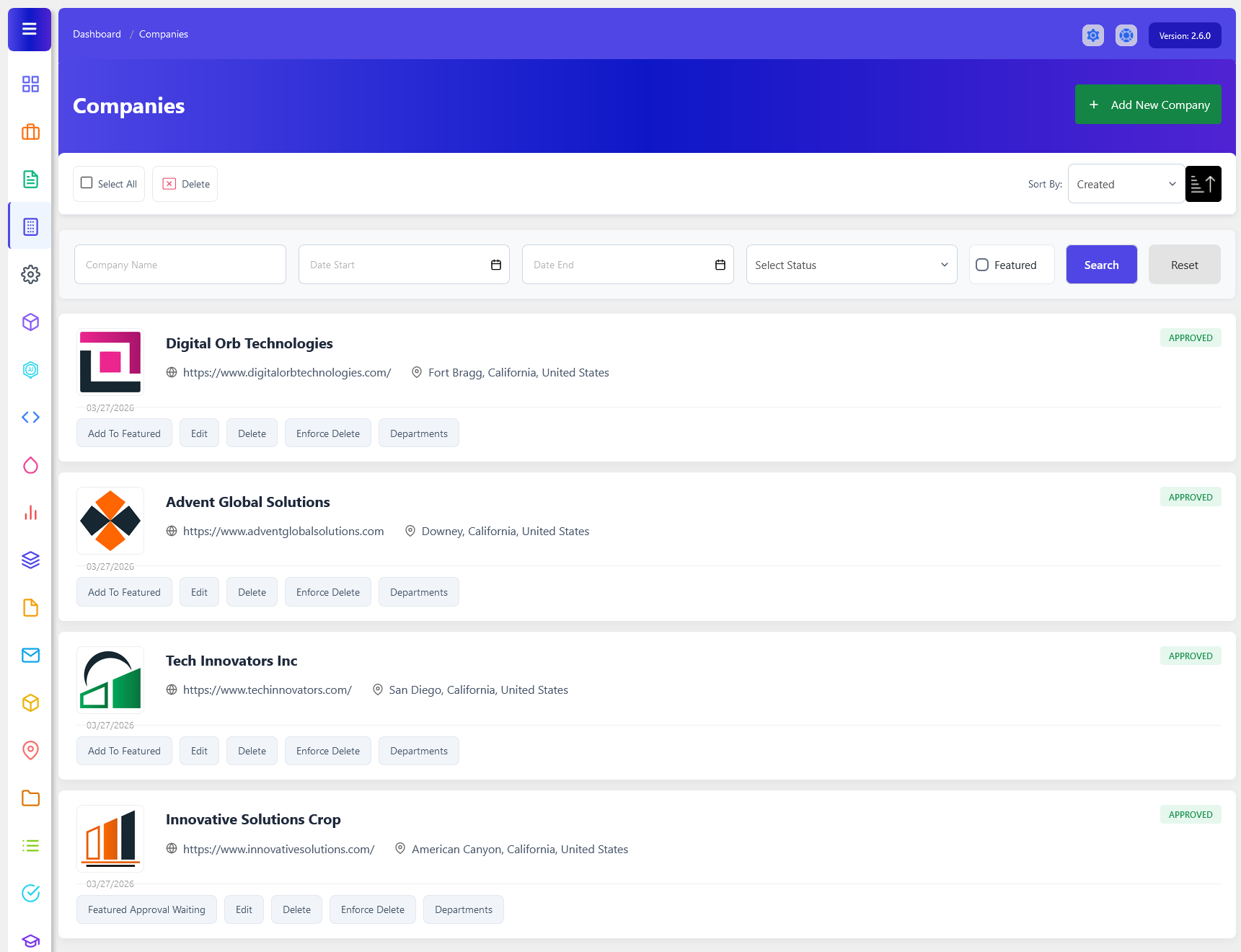
From your admin dashboard, navigate to the Admin Dashboard > Dashboard Menu > Companies. On the Companies page, you will find options the admin can use to manage companies.
The Companies page displays important company information, including the Company Name, Website URL, Location, Approval Status, and Featured Status. Each company is shown in a separate listing with its logo and management options. This helps administrators quickly review and identify companies registered on the portal. It also includes a sort options dropdown to sort the company list by creation date or other criteria. One of the page’s main functions is company management. Each company listing comes with options like “ Add To Featured, Edit, Delete, Force Delete, and Departments. Additionally, there’s an option to “Add New Company” at the top right of the “My Companies” page.
Search

The Company Listing Search section in WP Job Portal allows administrators to quickly find, filter, and manage companies. Instead of scrolling through all available companies, the admin can use various search criteria to locate specific company listings based on company details, company name, dates, and status. This feature is especially useful when managing a large number of companies.
The Featured checkbox allows the admin to search specifically for companies that have been marked as featured. Featured companies are usually highlighted on the job portal to attract more attention from job seekers. This filter is useful when administrators need to review or manage premium company listings separately from standard postings.

This section of the Companies in WP Job Portal shows a detailed view of an individual company listing, giving the admin full control over a specific company post. In this example, the company “Innovative Solutions Corp” is clearly displayed, along with important details such as the company name (Innovative Solutions Corp), company URL, location (Antioch, California), and the posting date.
Administrators can perform several management actions directly from the company listing. Options such as Add To Featured, Edit, Delete, Enforce Delete, and Departments help admins maintain the platform efficiently.
Company Actions
Add To Featured
Adding a Featured Job in WP Job Portal is a powerful way to highlight a specific company and give them more visibility on your job board, so it appears more prominently on the Companies Listing page. Featured companies are typically displayed at the top of the Companies Listing page or in a dedicated section, making them more noticeable to job seekers. They may include labels like “Featured” or be highlighted with special styling.
Edit
Editing a company in WP Job Portal is a simple yet essential feature that allows administrators to update their company listings at any time. This is especially useful when you need to make corrections, update company requirements, or adjust details like contact info or location after posting. The system is designed to give the admin full flexibility while ensuring the company listing remains accurate and up to date for candidates. Once clicked, the system opens a detailed company form similar to the one used during company creation.
Delete
Deleting a company in WP Job Portal is a simple but important feature that allows the admin to remove company listings that are no longer needed. This is useful when a company has been posted by mistake. Keeping your company listings clean and updated ensures a better experience for job seekers and maintains the professionalism of your platform.
Enforce Delete
Force Delete completely removes the company and its associated data from the database. This feature helps maintain a clean and organized system by eliminating unnecessary records and reducing database clutter.
Departments
The Departments button allows administrators to manage departments associated with a specific company, such as HR, Marketing, IT, or Accounts, which can later be used when posting jobs.