Company Detail In The WP Job Portal!
The Company Detail page in WP Job Portal provides complete information about a company that is posting jobs on the portal. This page helps job seekers learn more about an organization before applying for a position. It acts as a professional company profile where important business details, company descriptions, and available jobs are displayed in a structured format.
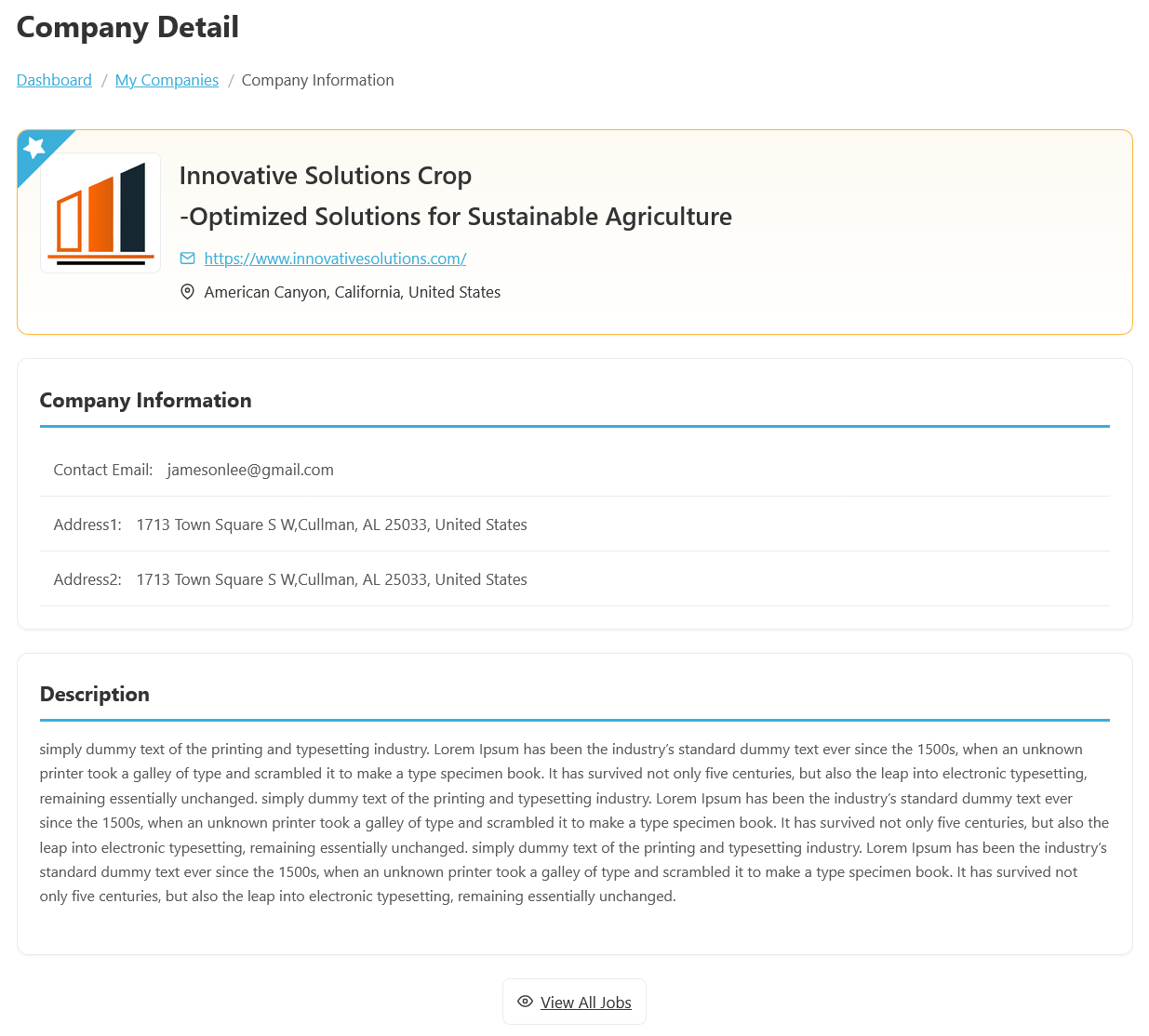
To access the Company Detail page from your job seeker dashboard, navigate to Jobseeker Dashboard > Dashboard Menu > Companies, then click the View Company button. The Company Detail page in WP Job Portal is where job seekers can view complete information about a company before applying for a job vacancy.
The Company Detail page typically includes information such as the Company Name, Company Logo, Website, Email Address, Phone Number, Location, and Company Description. For example, a company named Innovative Solutions Crop may display its official logo, office address in California, contact details, and a detailed description explaining its software development services and work environment. This helps candidates understand the company’s background and business activities.
The Company Information section contains important business details such as the company contact email and office addresses. For example, the profile displays a contact email address along with multiple address fields, making it easier for job seekers to contact the company or identify its office location. This information helps candidates better understand the company’s presence and legitimacy before applying for available positions.
The Description section, where employers can provide detailed information about their company. This may include the organization’s history, services, mission, work culture, and business goals. For instance, a technology company may explain its expertise in software development and innovation, while an agriculture company may describe its sustainable farming solutions and industry contributions.
The View All Jobs button at the bottom of the page allows visitors to browse all jobs posted by the company. This feature helps job seekers quickly explore additional opportunities offered by the same company. For example, after reviewing the Innovative Solutions Crop profile, candidates can click the button to see all active job openings related to that company.