Jobs By Categories In The WP Job Portal!
The Jobs by Categories feature in WP Job Portal allows job seekers to browse and search jobs based on specific industries or professional fields. This feature helps users quickly find relevant job opportunities without searching through unrelated listings. Jobs are organized into categories such as Computer/IT, Marketing, Accounts, Healthcare, Education, Engineering, and many others.
Configure Count In Jobs By Categories

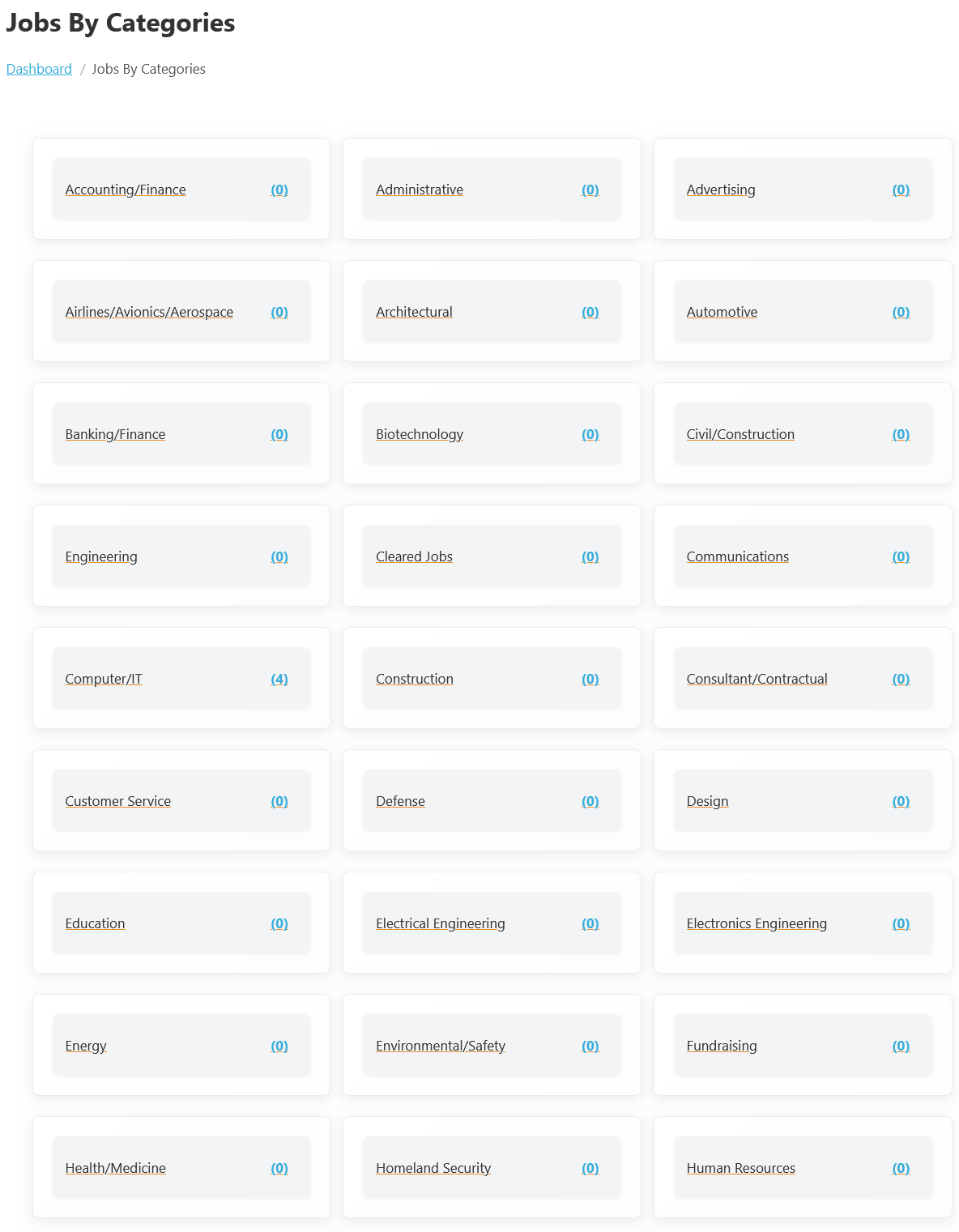
To view the jobs categorized by different criteria, follow these steps:
- Navigate to Jobseeker Dashboard: Log in to your Jobseeker account.
- Select Jobs By Categories: From the dashboard, click on Jobs By Categories.
When employers post jobs, they assign each vacancy to a particular category. These categories are then displayed throughout the portal, making it easier for job seekers to explore jobs according to their skills and interests. For example, a user interested in software development can open the Computer/IT category to view jobs like Frontend Developer or Senior Software Engineer.
The Jobs by Categories section improves navigation and job discovery for users. Instead of using manual keyword searches, candidates can directly select a category and instantly view all jobs related to that profession. For example, a marketing professional can browse the Marketing category to find positions such as Marketing Manager or Digital Marketing Specialist.
Overview of Job Categories
- Jobs are organized into various categories to assist job seekers in finding relevant opportunities.
- Common categories include:
- Accounting/Finance
- Engineering
- Computer/IT
- And many more.
These categories enable job seekers to streamline their search and focus on positions that match their skills and career objectives.
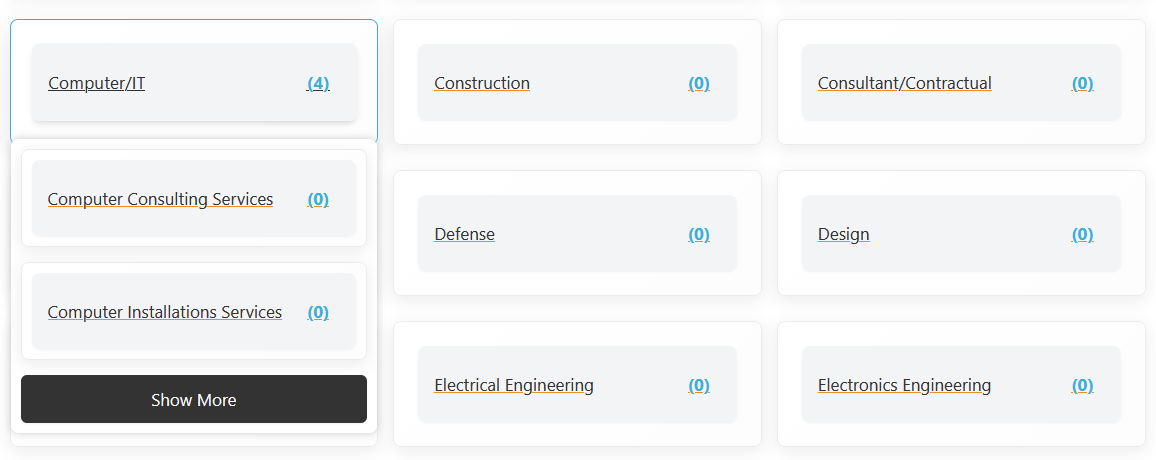
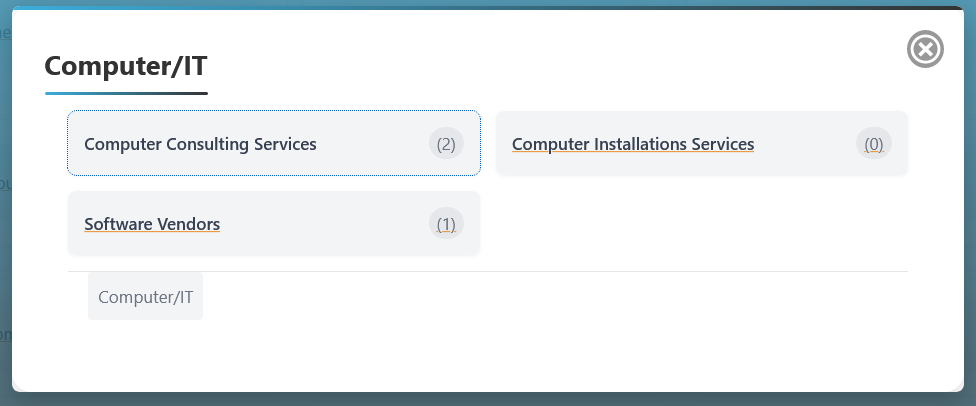
When the user clicks the Show More button, a pop-up will appear displaying all the subcategories related to the selected job category. Each subcategory in the pop-up will function similarly to the main category, allowing users to:
- View Available Jobs: Each subcategory will display the number of available jobs.
- Apply Filters: Users can filter jobs within that specific subcategory.
- Access Job Details: Clicking on a subcategory will lead to a list of jobs within that category.
This functionality enhances user experience by providing a more detailed exploration of job opportunities in a clear and organized manner.