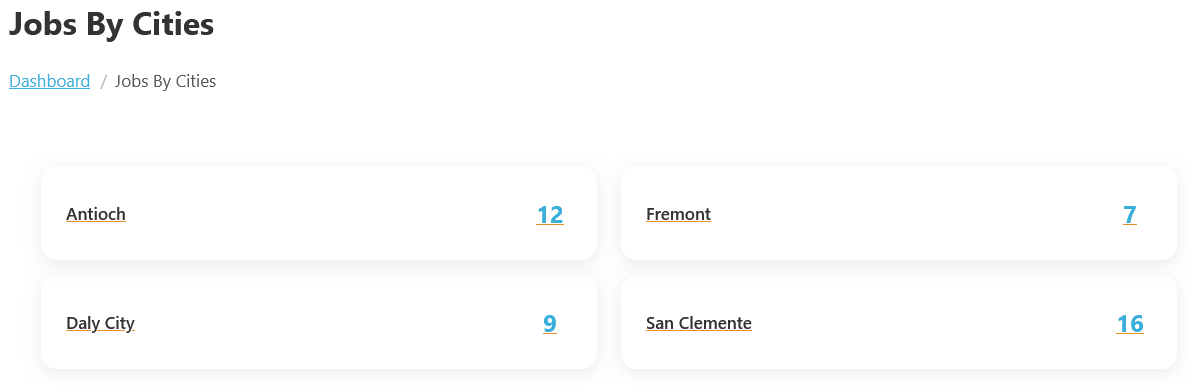
Jobs By Cities In The WP Job Portal!
The Jobs By Cities feature in WP Job Portal allows job seekers to browse job opportunities based on specific cities or locations. This feature helps users quickly find jobs available in their preferred area without searching through listings from different locations. It improves the overall job search experience by organizing jobs geographically.
When employers create a job posting, they select the city where the job is located. WP Job Portal then automatically groups jobs under their respective cities. For example, jobs posted in New York, California, or Chicago will appear in separate city sections, allowing candidates to easily browse opportunities available in those locations.
Configure Count In Jobs By Cities

This configuration allows the admin to control the number of jobs displayed inside each city’s section on the job portal. To configure the display of job counts by cities, follow these steps:
- Access Admin Dashboard:
- Navigate to Admin Dashboard > Dashboard Menu > Configurations.
- Select Jobs Configurations:
- Go to Jobs Configurations > Show Count On Jobs By Cities Page.
- Adjust City Count Settings:
- Locate the setting for Count in Jobs by Cities.
- If it is set to No/Disable, the job count will not be displayed in the jobs by cities section.
- Here, set it to Yes/Enable to enable the display of job counts for each city.
- Save Changes:
- Ensure you save any changes made to reflect in the jobseeker interface.
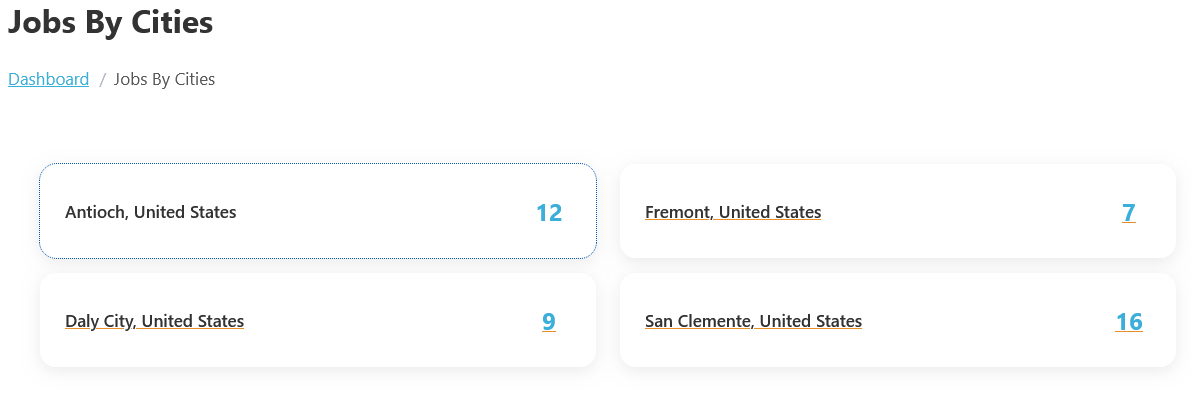
This feature is especially useful for job seekers who want to work near their home, relocate to a specific city, or search for local employment opportunities. For example, a user living in Antioch can directly browse the Antioch jobs section to view all jobs available in that city instead of filtering through jobs from multiple locations.
The Jobs By Cities section may display additional information, such as the number of jobs available in each city, helping users identify locations with more employment opportunities. For example, a city with 50 active jobs may attract more attention than a city with only a few listings. This helps candidates make informed decisions about where to apply.
To view the Jobs By Cities listing page, follow these steps:
- Access Jobseeker Dashboard:
- Navigate to the Jobseeker Dashboard.
- Select Jobs By Cities:
- Click on Jobs By Cities.
- View Job Listings:
- You will see a list of cities along with the number of job listings available in each city.
- By clicking on a specific city, you can view all the jobs available in that city.
This feature allows job seekers to easily explore opportunities based on their preferred location.
Configure Country On Jobs By Cities

This configuration allows the admin to control the countries of jobs displayed inside each city’s section on the job portal. To configure the display of job countries in the jobs by cities page, follow these steps:
- Access Admin Dashboard:
- Navigate to Admin Dashboard > Dashboard Menu > Configurations.
- Select Jobs Configurations:
- Go to Jobs Configurations > Show Country On Jobs By Cities Page.
- Adjust City Count Settings:
- Locate the setting for Count in Jobs by Cities.
- If it is set to Yes/Enable, the job country will be displayed in the jobs by cities section.
- Here, set it to No/Disable, and the job country will not be displayed in the jobs by cities section.
- Save Changes:
- Ensure you save any changes made to reflect in the jobseeker interface.