Newest Jobs In The WP Job Portal!
The Newest Jobs Listing feature in WP Job Portal displays the most recently posted job opportunities on the website. This section helps job seekers quickly find fresh and active job openings without searching through older listings. Newly added jobs are usually shown at the top of the job list, making it easier for candidates to apply early before positions receive many applications.
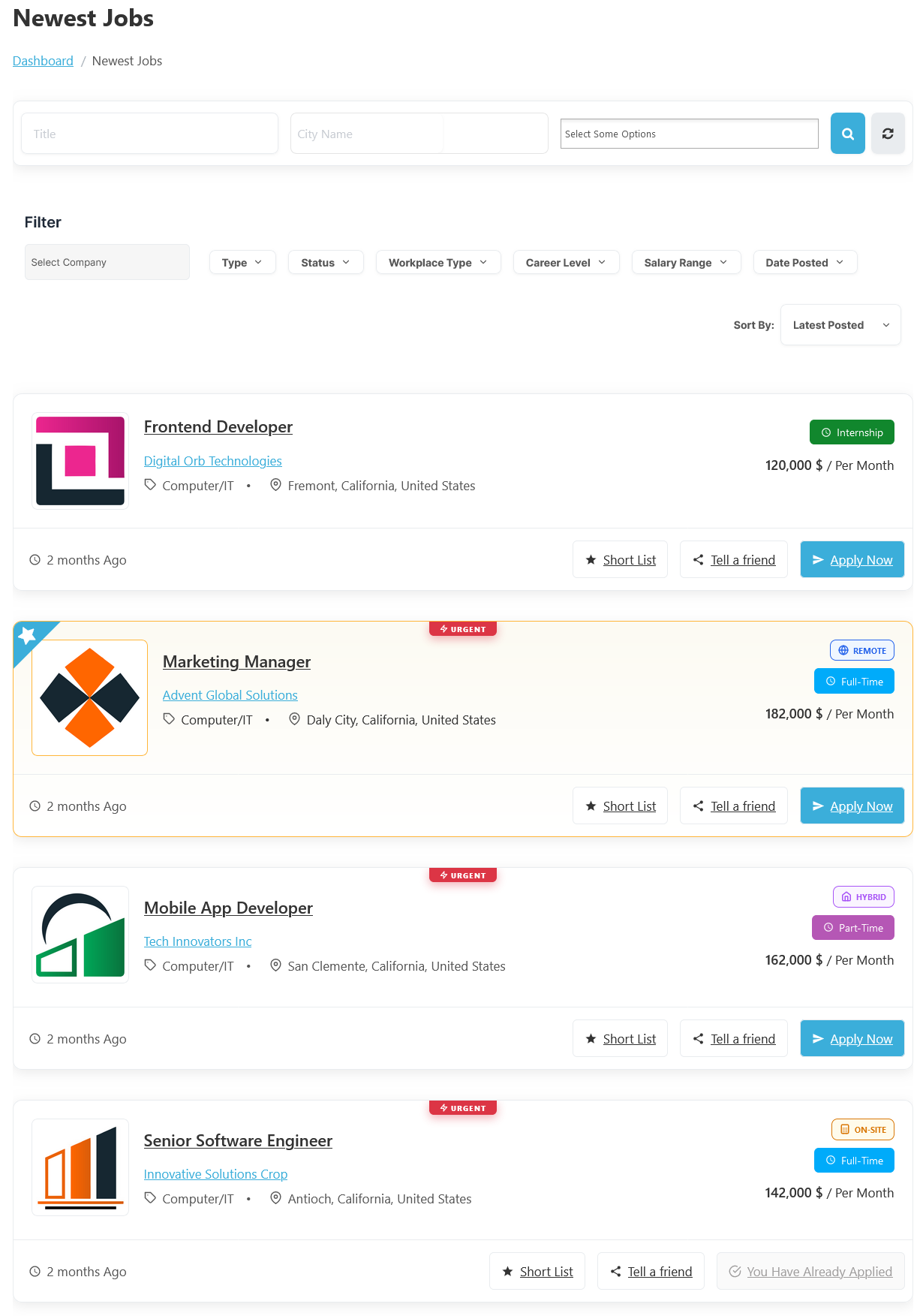
To access the Newest Jobs listing page, follow these steps:
- From your Jobseeker Dashboard, navigate to:
- Jobseeker Dashboard > Newest Jobs.
- On the Newest Jobs page, you’ll find a comprehensive list of jobs created by employers and administrators.
Features Of The Newest Jobs Page:
Search Options

At the top of the page, users can use the job search filters to find relevant jobs quickly. The search form includes fields such as Job Title, City Name, and Category/Options selection. For example, a user searching for “Frontend Developer” jobs in California can enter the job title and city to narrow down the search results. The search button instantly filters the newest job listings based on the entered criteria.
AJAX Filters

The Job Filter section in WP Job Portal helps job seekers quickly find jobs that match their preferences and career requirements. Instead of browsing all job listings, users can apply filters to narrow results and view only the most relevant opportunities. This improves the job search experience and saves time when searching for suitable positions.
The filter area includes multiple search options such as Company, Job Type, Status, Workplace Type, Career Level, Salary Range, and Date Posted. For example, a job seeker looking for a Full-Time Remote position can select the Type filter as Full-Time and the Workplace Type filter as Remote. The system will then display only jobs that match those conditions.
The Sort By option also allows users to organize results based on criteria such as Latest Posted, Oldest Posted, Highest Salary, Lowest Salary, Job Title (A-Z), Job Title (Z-A), Company Title (A-Z), and Company Title (Z-A), helping candidates view the newest jobs first.
Job Listings
Each job card displays important information, including:
- Job Title
- Company Name
- Category
- Location
- Salary
- Posting Date
- Job Type
- Workplace Type
- Urgency Status.
- Salary
This allows job seekers to quickly review job details before opening the full job description page.
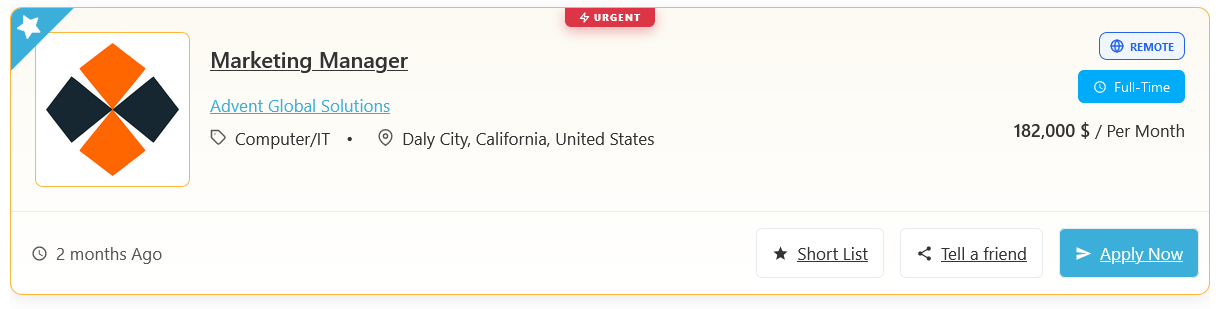
The page also includes useful actions for job seekers, such as Short List, Tell a Friend, and Apply Now.
Useful Actions
Short List
The Short List feature in WP Job Portal lets job seekers save jobs they are interested in for later review or application. This feature works like a personal bookmark system where users can keep important job opportunities in one place without searching for them again later. It helps candidates organize and manage preferred jobs more efficiently during their job search process.
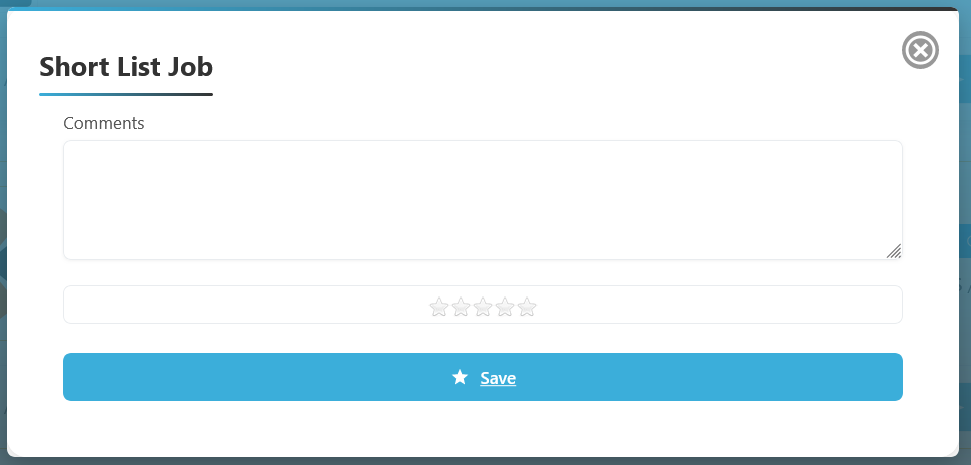
When browsing job listings, users can click the Short List button available on each job card. The Short List Job Popup in WP Job Portal allows job seekers to save a job along with personal notes and ratings for future reference. When a user clicks the Short List button on a job listing, a pop-up window appears where they can enter comments about the job and provide a star rating based on their interest or preference. This feature helps candidates organize and evaluate job opportunities more effectively.
Once saved, the job is added to the user’s shortlist section. For example, if a candidate finds a job like Senior Software Engineer or Marketing Manager but is not ready to apply immediately, they can add the job to their shortlist and return to it later.
Tell a Friend
The Tell a Friend feature in WP Job Portal allows users to easily share a job opportunity with someone they know who may be interested in the position. This feature helps job seekers reach a wider audience and increases the chances of finding qualified candidates through referrals and personal recommendations.
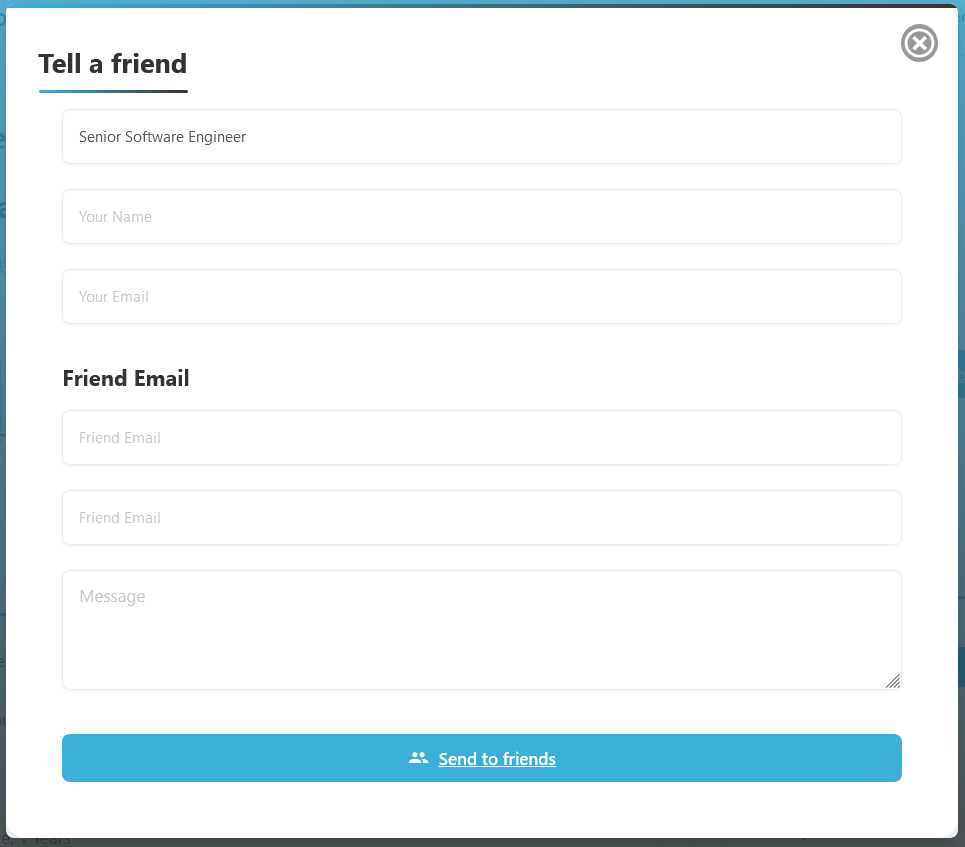
When a user clicks the Tell a Friend button on the Job Listing page, they can share the job with friends, colleagues, classmates, or professional contacts. Typically, the system provides a form where the user can enter the recipient’s name and email address along with an optional personal message. The recipient then receives a notification containing information about the job and a link to view the full job details.
For example, if a user comes across a Senior Software Engineer position but knows a friend who has the required skills and experience, they can use the Tell a Friend feature to send the job directly to that person. Instead of searching for the job manually, the recipient can simply open the shared link and review the opportunity immediately.
Apply Now
The Apply Now feature in WP Job Portal allows job seekers to directly submit applications for available job opportunities. This button appears on job listings and job detail pages, making it easy for candidates to quickly apply for positions that match their skills and interests. The application process is designed to be simple, fast, and user-friendly. When a user clicks the Apply Now button, the system may open a pop-up where the candidate can submit their resume and cover letter.
The Apply Now feature also helps employers receive applications directly through the WP Job Portal system. Once a candidate submits an application, the employer can review the applicant’s resume, profile information, and attached documents from the employer dashboard. This creates a smooth communication process between employers and job seekers without requiring external application systems.
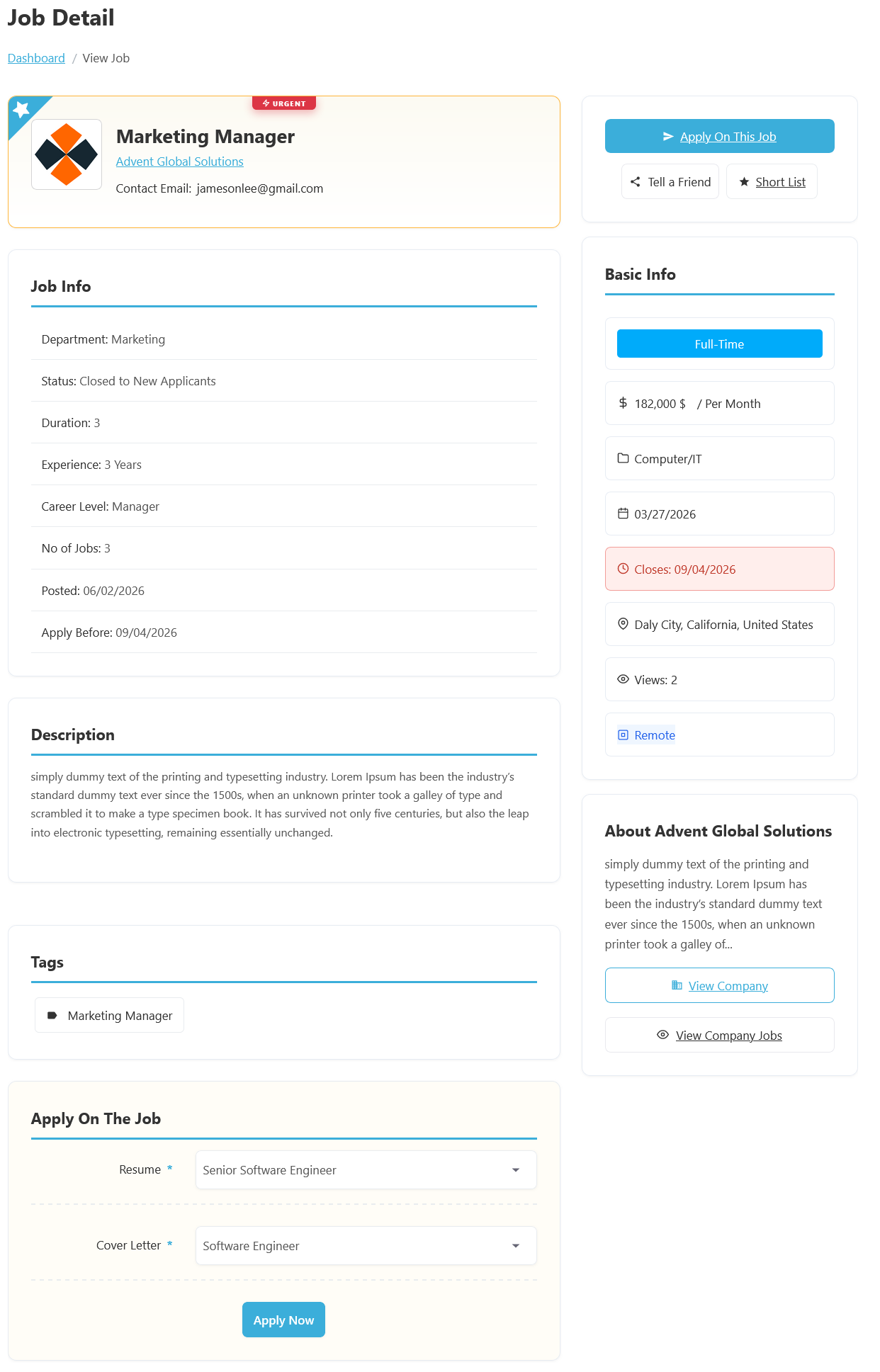
The Job Detail page offers comprehensive information about each job listing. Here’s what you can expect to find: At the top of the page, users can see the Job Title, Company Name, and any special labels such as Urgent.
The Job Info section contains detailed information about the position, including Department, Status, Duration, Experience Requirements, Career Level, Number of Jobs, Posted Date, and Application Deadline. For example, the job belongs to the Software Development Department, requires 1 year of experience, is categorized as an Entry Level position, and has an application deadline of June 30, 2026. These details help candidates determine whether they meet the requirements before applying.
The Basic Info panel provides a quick summary of important job attributes such as Job Type, Salary, Category, Location, Workplace Type, and the number of Views. In this example, the position is Full-Time, offers a salary of $142,000 per month, belongs to the Computer/IT category, and is located in Antioch, California, United States. The workplace type is listed as On-site, meaning employees are expected to work from the company’s physical location rather than remotely.
Further down the page, the Description section explains the responsibilities, qualifications, and expectations associated with the role. The Tags section highlights important keywords related to the job, making it easier for users to discover similar opportunities. The page also includes an Apply On The Job area where eligible users can submit applications directly through the portal. Alongside this, the Company Information section provides a brief overview of the employer and offers quick links to view the company profile and other jobs posted by the same organization. Together, these features make the Job Detail page the central hub for reviewing and applying for job opportunities in WP Job Portal.
Action Buttons:
- Apply Now: Click to apply now; a pop-up will appear to select your resume and cover letter. After selection, click the Apply Now button to submit your application.
- Tell a Friend: Share the job with someone by clicking this button.
- Shortlist: Click to add the job to your shortlist for easy reference later.
This page enables job seekers to efficiently apply, share, and keep track of jobs that interest them.