My Resumes In The WP Job Portal!
The My Resume section for job seekers in the WP Job Portal is designed to help candidates create and manage professional resumes directly from their dashboard. It serves as a centralized area where users can store multiple resumes, update career information, and apply for jobs more efficiently. This feature makes the job application process faster because candidates do not need to enter the same information repeatedly for every application.
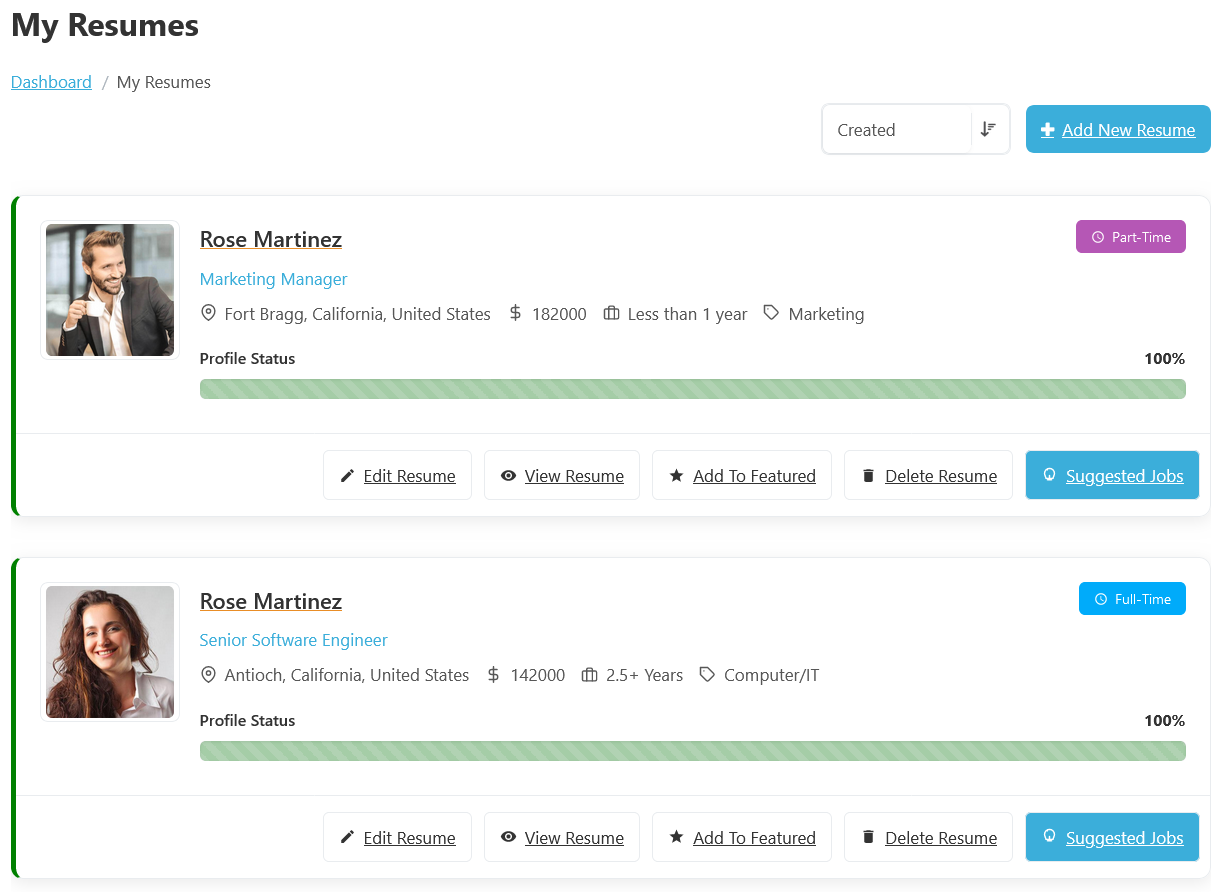
To access the My Resumes listing page, from your jobseeker dashboard, navigate to the Jobseeker Dashboard > Dashboard Menu > My Resumes. On the My Resumes page, you will find various options that a job seeker can use to manage their resumes. It displays a list of resumes added by the job seeker. Each resume card displays the applicant’s profile photo, application title, job category, location, experience level, expected salary, and profile completion percentage. For example, a candidate may create one resume for “Senior Software Engineer” positions and another for “Project Manager” jobs, allowing them to apply with the most relevant profile for each opportunity.
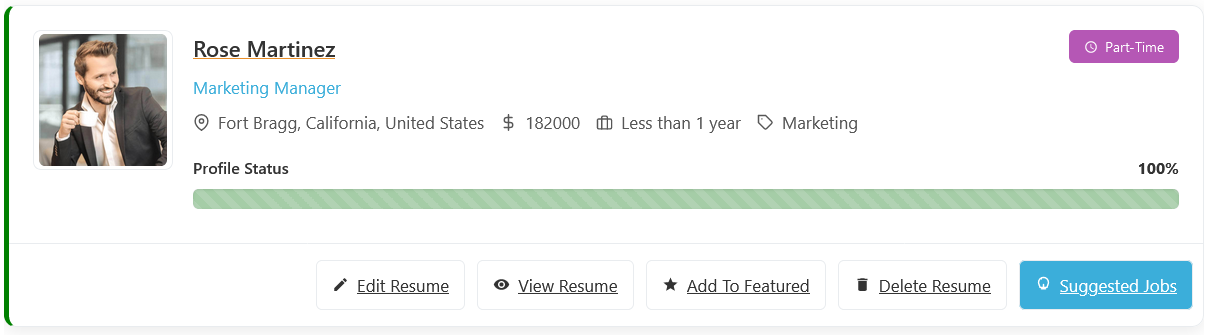
This section of the My Resumes in WP Job Portal shows a detailed view of an individual resume, giving the job seeker full control over a specific resume post. Each resume displayed in the My Resume section includes important professional details such as the applicant’s name, application title, job category, expected salary, experience level, location, and preferred job type. The page also shows the profile completion percentage, which helps job seekers understand whether their resume contains enough information to attract employers. For example, a user applying for software development jobs may create a resume titled “Senior Software Engineer” with skills, education, and experience related specifically to IT positions.
The system also shows a Profile Status progress bar that indicates how complete the resume is. For example, if a user has added personal information but has not yet included education or skills, the completion percentage may remain low. A fully completed resume reaches 100%, making it more attractive and professional for recruiters. WP Job Portal also provides several useful actions for each resume.
Resume Management Actions
Edit Resume
Editing a resume in WP Job Portal is a simple yet essential feature that allows job seekers to update their resume listings at any time. This is especially useful when you need to make corrections or update your information whenever needed, such as adding new certifications, changing contact details, or updating work experience. The system is designed to give job seekers full flexibility while ensuring the resume listing remains accurate and up to date for job applications. Once clicked, the system opens a detailed resume form similar to the one used during resume creation.
View Resume
The View Resume feature in WP Job Portal allows job seekers to preview their complete resume exactly as employers will see it. This feature helps users review their professional profile before applying for jobs and ensures that all information is accurate, complete, and professionally presented. By clicking the View Resume button, users can open a detailed resume page that displays personal details, career objectives, education, work experience, skills, certifications, languages, and other important information in a clean and organized format. A well-organized resume creates a strong first impression for employers and increases the chances of getting shortlisted for interviews. For example, a resume with a clear profile summary, updated experience, and professional skills appears more attractive to recruiters than an incomplete profile.
Add To Featured
Adding a Featured Resume in WP Job Portal is a powerful way to highlight specific resumes and give them more visibility on your job board, so it appears more prominently on the Resume Listing page. Featured resumes are typically displayed at the top of the Resumes Listing page or in a dedicated section, making them more noticeable to job seekers. Featured Resumes usually stand out visually compared to regular Resumes. They may include labels like “Featured” or be highlighted with special styling.
Delete Resume
The Delete Resume feature in WP Job Portal allows job seekers to permanently remove resumes that are no longer needed. This option helps users keep their resume listing clean, organized, and updated with only relevant professional profiles. By clicking the Delete Resume button, users can quickly remove outdated, duplicate, or unnecessary resumes from their account. The delete process is designed to be simple and user-friendly. Once the user clicks the Delete Resume button, the system may display a confirmation message to prevent accidental deletion.
Suggested Jobs
Another powerful feature is the Suggested Jobs button, which helps users discover jobs related to their resume profile. The system automatically matches resumes with relevant job openings based on skills, job title, category, and experience. For example, if a resume is created for a “Senior Software Engineer,” the portal may recommend jobs related to software development, web applications, or IT management. This saves time for job seekers and makes the job search process faster and smarter. By clicking the Suggested Jobs button, users can instantly view job listings that closely relate to their career interests and professional background. This feature saves time for job seekers by eliminating the need to manually search for jobs every time they visit the portal. The Suggested Jobs feature also improves the chances of successful job applications because users are matched with jobs that fit their qualifications and experience.
Users can easily create a new resume by clicking the Add New Resume button available at the top of the page. During resume creation, job seekers can enter personal information, education, work experience, skills, certifications, languages, and other professional details.